Discover newly launched products

Helping great products get discovered from day one.

Launch Finds - Domain Rating

Top 8 on Outbid

#1$35
Boost Domain Rating - Boost Domain Rating is a platform to discover and upvote the best tech products. Find top products launching daily. logo

Boost Domain Rating - Boost Domain Rating is a platform to discover and upvote the best tech products. Find top products launching daily.

Boost Domain Rating is a platform to discover and upvote the best tech products. Find top products launching daily.

#2$30
DirEasy - The Best Directory Boilerplate with AI | DirEasy logo

DirEasy - The Best Directory Boilerplate with AI | DirEasy

The best directory boilerplate, packed with AI, Listings, Payment, Submission, CMS, Blog, Authentication, Newsletter, SEO and more.

#3$25
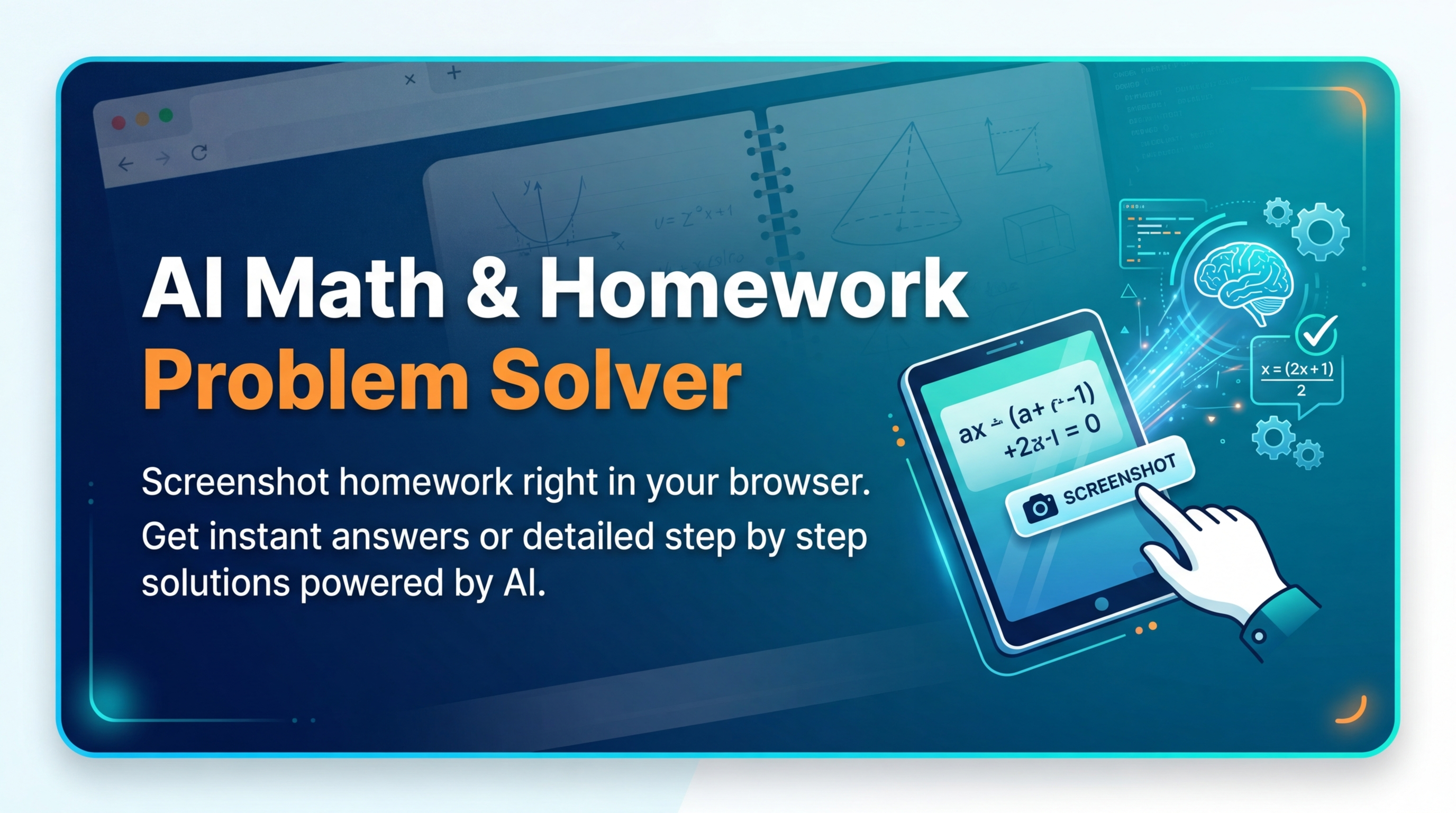
Quiz Shot - Solve Any Screenshot Question in Seconds. logo

Quiz Shot - Solve Any Screenshot Question in Seconds.

AI Study Assistant that answers any screenshot question. Get free AI tutor and step-by-step math and homework help with ChatGPT.

#4$20
Quiz Boost - Invisible AI for Proctored Exams. logo

Quiz Boost - Invisible AI for Proctored Exams.

Quiz Boost works seamlessly with Canvas, Blackboard, Moodle, Schoology, and more. Get intelligent assistance that's completely undetectable by standard LMS monitoring.

#5$20
allentown logo

allentown

The best Nextjs SaaS boilerplate - https://t.co/Ovnu9Do4HE A powerful AI-powered directory boilerplate - https://t.co/nvavdYLYDB ALL-In-One AI ChatGPT Copilot - https://t.co/jzVKjEj3Tj

#6$19
DF Tube New (Distraction Free for YouTube™) - Chrome Web Store logo

DF Tube New (Distraction Free for YouTube™) - Chrome Web Store

Allow yourself to focus while using YouTube™ for work, recreation or education.

#7$17
SEOFarmer — You Shipped. Now Grow Traffic. logo

SEOFarmer — You Shipped. Now Grow Traffic.

SEOFarmer turns real search data, market signals, community conversations, site health and launch opportunities into prioritized Growth Missions you can act on and track.

#8$16
LinkSalad - LinkSalad is a platform to discover and upvote the best tech products. Find top products launching daily. logo

LinkSalad - LinkSalad is a platform to discover and upvote the best tech products. Find top products launching daily.

LinkSalad is a platform to discover and upvote the best tech products. Find top products launching daily.

Top Projects Launching Today

New launches in
00h
:
00m
:
00s
No projects found for "Top Projects Launching Today"

Yesterday's Launches

RewriteMate logo

RewriteMate is an AI keyboard for iPhone that combines an AI writing assistant, grammar checker, paraphrasing tool, rewriting tool, tone changer, and translator directly inside the iOS keyboard.Use RewriteMate to rewrite messages, correct grammar, paraphrase sentences, improve English writing, shorten or expand text, change writing tone, and translate text without leaving the app you're using.The keyboard works across Messages, Mail, Notes, browsers, social media apps, and other iPhone apps. Custom AI commands also let you save frequently used writing prompts and transformations for quick access.Built for professionals, students, creators, and everyday iPhone users, RewriteMate removes the repetitive process of copying text between your apps and standalone AI writing tools.

Protato logo

Protato is a 3D iPhone mockup generator and app screenshot maker for iPhone, iPad, and Mac. Create realistic device mockups, animated app previews, product videos, and marketing visuals directly on your Apple devices.Import screenshots or screen recordings, customize 3D devices, lighting, backgrounds, camera angles, and animations, then export high-resolution images or 4K videos. Protato is useful for App Store screenshot design, app marketing, social media content, product demos, advertisements, launch videos, and presentations.Built for indie developers, UI/UX designers, marketers, and founders, Protato makes professional 3D app mockups accessible without Blender or other complex 3D tools.

Last Week's Top

Breezit AI logo

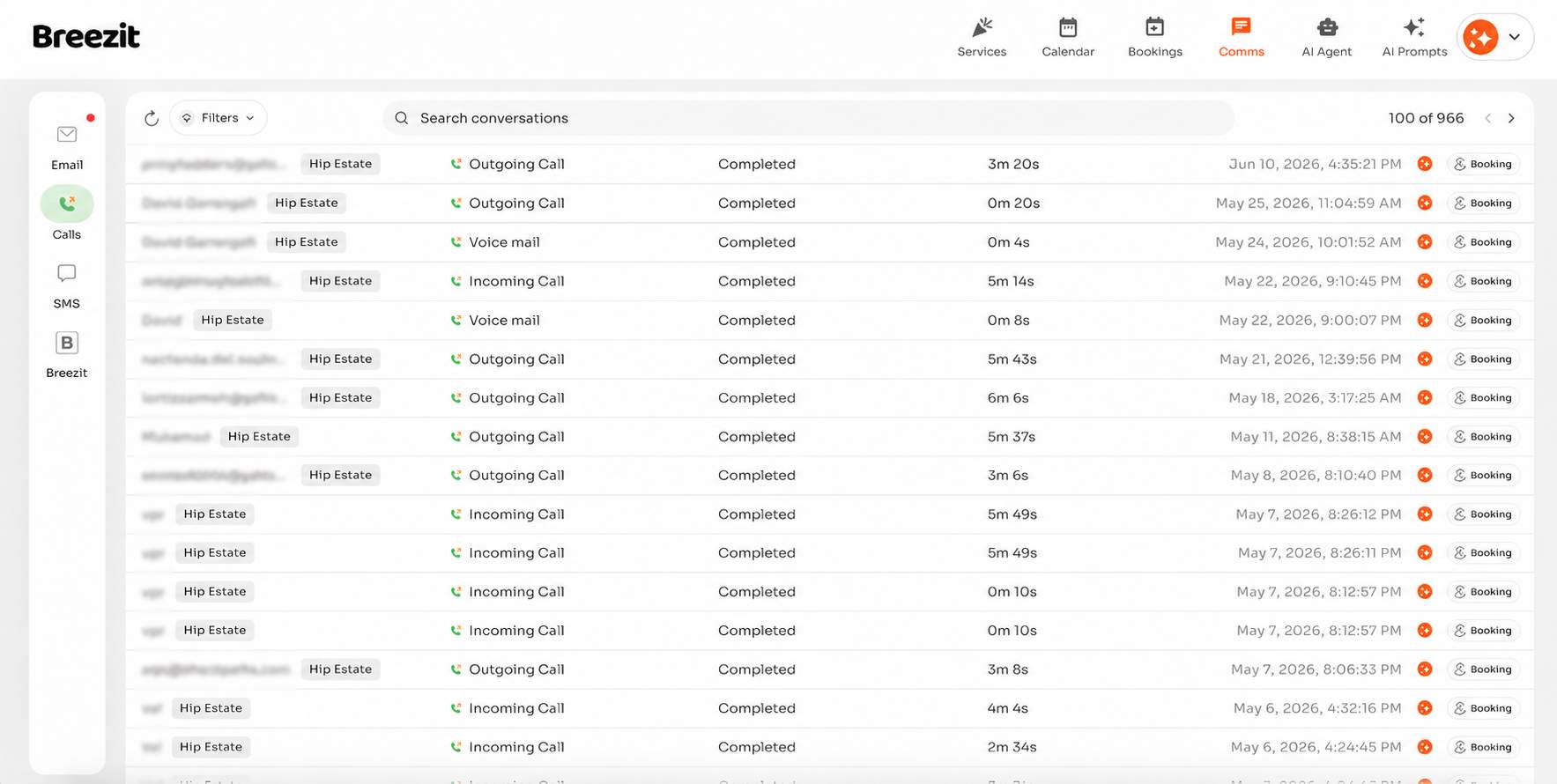
Breezit is an AI sales assistant for event venues that answers, qualifies, and books every inquiry 24/7, turning more leads into booked tours

Easy Grader logo

Easy Grader is a free, instant online tool designed to simplify the process of converting raw test scores into percentages and letter grades. It eliminates the need for manual calculations, providing immediate and accurate results for educators, students, and parents alike. This intuitive SaaS targets teachers looking to streamline their grading workflow, as well as students and parents who want to quickly understand the exact percentage and letter grade represented by a test score. Key Features Instant calculation of percentage and letter grade from total questions and wrong answers. Generates a comprehensive grading chart for an entire class based on a single test's question count. Supports any test length and subject, from quizzes to exams. Offers three common grading scales: Standard, Strict, and Lenient, to match various school policies. Completely free to use with no sign-up or personal data storage required. Accessible and fully functional across laptops, tablets, and mobile phones. Use Cases For teachers, Easy Grader significantly speeds up grading day. Instead of performing individual calculations for each student's paper, teachers can input the total number of questions once and then quickly reference the generated chart for every student's score. This drastically reduces the time spent on arithmetic, allowing educators to focus more on providing feedback. Students and parents benefit by gaining immediate clarity on test results. When a teacher only provides the number of wrong answers, Easy Grader fills in the missing percentage and letter grade information in seconds, helping them understand performance accurately and promptly. Pricing Information Easy Grader is entirely free to use, requiring no sign-up or subscription. All its features are available instantly without any cost. User Experience and Support The user interface is straightforward and highly intuitive. Users simply enter the total questions and wrong answers, select a grading scale, and receive instant results. The tool is designed for ease of use, ensuring a smooth experience even for those grading a large stack of papers. As a client-side tool, it offers immediate feedback and a high degree of privacy, as no data is saved or transmitted. Technical Details Easy Grader operates entirely within the user's browser, meaning all calculations are performed client-side. This design ensures that no data entered by the user is ever saved, stored, or sent to external servers, prioritizing user privacy and instant responsiveness. Pros and Cons Pros: Significantly speeds up the grading process for multiple papers. Eliminates manual calculation errors, ensuring accuracy. Provides a full grading chart for quick lookups across a class. Offers flexible grading scales to suit different policies. Completely free, private, and requires no account. Works seamlessly on various devices. Cons: Not designed for weighted or category-based course grading (requires a different tool for that). Relies on predefined grading scales; custom cutoffs need manual application of the percentage. Conclusion Easy Grader is an invaluable, free online utility for anyone needing to quickly and accurately convert test scores into percentages and letter grades. Its simplicity, speed, and privacy make it an excellent choice for efficient test assessment. Explore Easy Grader today to simplify your grading tasks!

Multifunctional Tool Pro logo

Multifunctional Tool Pro is a comprehensive, completely free digital toolset designed to streamline various daily tasks. It offers a wide array of utilities, all accessible from a single, user-friendly platform, making productivity effortless. This SAAS targets a broad audience, including individuals, students, and professionals who require quick, reliable access to essential utility tools without incurring costs. Key Features 100% Free Pro Version: Access a full suite of professional-grade tools at no cost. Extensive Tool Collection: A complete set of diverse tools to cover a wide range of needs. Integrated AI Assistant: An intelligent AI companion that understands your needs and guides you to the right tools. Intuitive User Interface: Designed for ease of use, allowing users to quickly "Choose a tool" or interact with the AI. Continuous Development: Supports ongoing app development through optional premium unlocks. Use Cases Everyday Productivity Enhancement: Users can significantly boost their daily efficiency by having a consolidated hub for common utilities. Instead of juggling multiple single-purpose applications or browser tabs, Multifunctional Tool Pro provides instant access to various functions, streamlining workflows for students managing assignments, professionals handling data, or anyone needing quick calculations or conversions. Intelligent Problem Solving: The integrated AI Assistant acts as a smart guide, making the app accessible even for users unsure which tool they need. By simply describing a problem or task, the AI can recommend and activate the appropriate utility, transforming complex tasks into simple, guided processes. This feature is particularly beneficial for non-technical users or when exploring new functionalities. Cost-Effective Utility Solution: As a "100% Free Pro Version," this SAAS offers an unparalleled value proposition. It eliminates the financial barrier to accessing a wide range of essential digital tools, making it an ideal choice for budget-conscious individuals, startups, or small businesses looking to equip their teams with powerful utilities without subscription fees. Pricing Information Multifunctional Tool Pro operates on a completely free model, offering a "100% Free Pro Version" to all users. While there is an option to "Unlock Premium" to support further app development, the core, comprehensive toolset remains entirely free of charge. User Experience and Support The application boasts a user-friendly interface, designed for simplicity and efficiency. Users are greeted with a clear prompt to "Choose a tool" or engage with the "AI 🤖 Multifunctional AI Assistant." This AI serves as the primary support mechanism, offering interactive guidance and direct access to functionalities. The "Made with love" tagline underscores a commitment to a positive and engaging user experience. Technical Details While specific programming languages or frameworks are not explicitly detailed, the core functionality is driven by an "AI 🤖 Multifunctional AI Assistant," indicating the use of advanced Artificial Intelligence and Machine Learning technologies to power its intelligent tool selection and interaction capabilities. The availability of "AI KIT Utilities" on Microsoft Store and Amazon suggests a robust, potentially cross-platform architecture. Pros and Cons Pros: Completely free access to a "Pro Version" with extensive features. Innovative AI Assistant simplifies tool discovery and usage. Consolidates multiple utilities into a single, convenient application. User-centric design promotes ease of use. Actively developed with options for community support. Cons: Specific list of included tools is not explicitly detailed in the main description. "Unlock Premium" option might initially confuse users regarding the "free" status. Traditional documentation or direct customer support channels are not explicitly mentioned beyond the AI. Availability of "AI KIT Utilities" on specific stores might imply platform limitations for certain features. Conclusion Multifunctional Tool Pro stands out as an exceptional, free SAAS offering a powerful suite of digital tools enhanced by intelligent AI assistance. Its commitment to providing a "Pro Version" at no cost makes it an invaluable asset for anyone looking to boost productivity and simplify daily tasks. Explore Multifunctional Tool Pro today to experience the future of integrated utility applications.

iPulse logo

iPulse is a multi-agent AI market intelligence platform for reviewing Top Picks, asset forecasts, AI advisor reports, risks, and consensus signals.

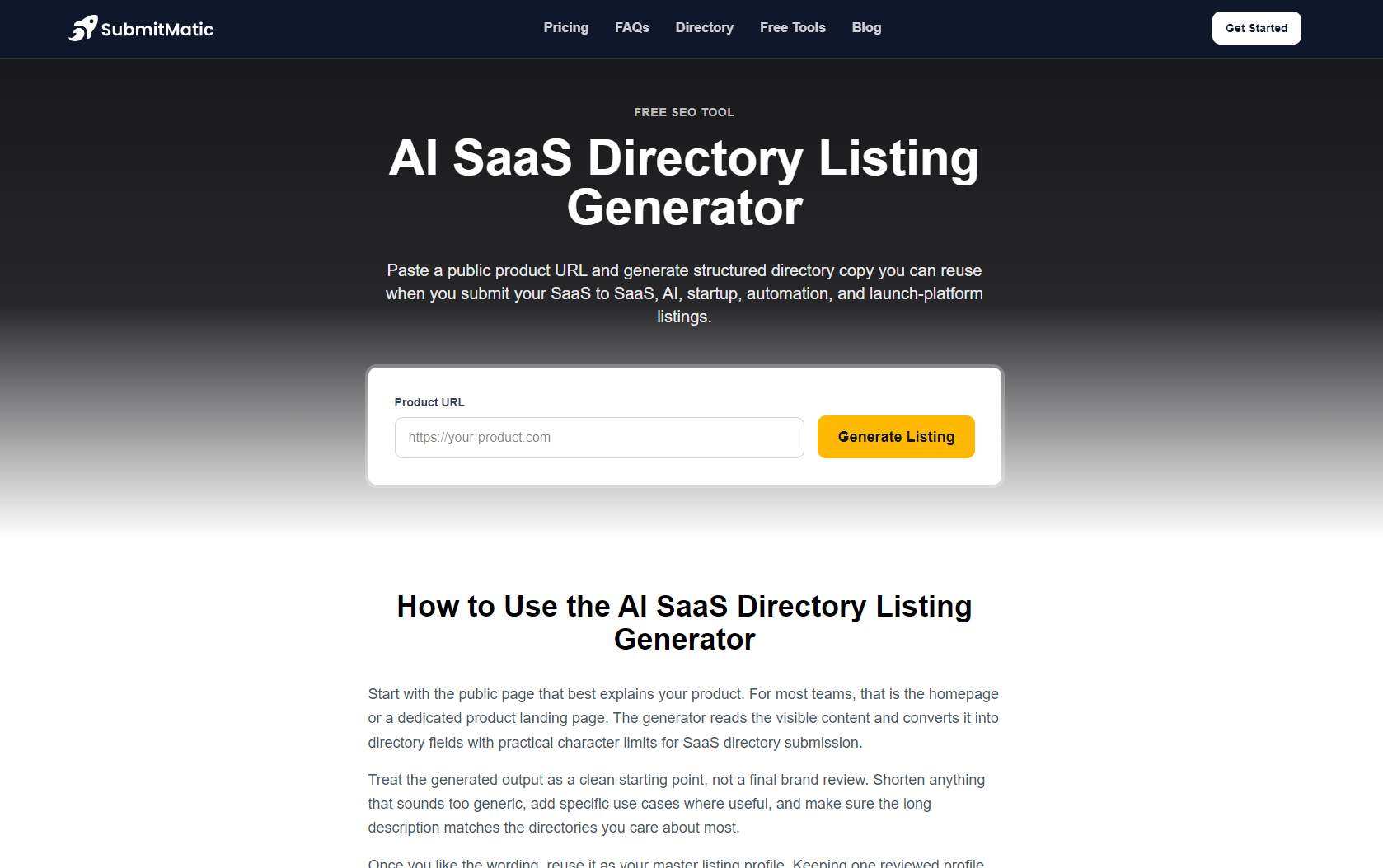
AI SaaS Directory Listing Generator logo

Paste a public product URL to instantly generate structured directory copy optimized for submitting your SaaS to AI and startup launch platforms.

Last Month's Top

Breezit AI logo

Breezit is an AI sales assistant for event venues that answers, qualifies, and books every inquiry 24/7, turning more leads into booked tours

ToolSlash logo

The ultimate curated directory for discovering cutting-edge software, AI tools, and platforms to boost productivity and creativity.

Easy Grader logo

Easy Grader is a free, instant online tool designed to simplify the process of converting raw test scores into percentages and letter grades. It eliminates the need for manual calculations, providing immediate and accurate results for educators, students, and parents alike. This intuitive SaaS targets teachers looking to streamline their grading workflow, as well as students and parents who want to quickly understand the exact percentage and letter grade represented by a test score. Key Features Instant calculation of percentage and letter grade from total questions and wrong answers. Generates a comprehensive grading chart for an entire class based on a single test's question count. Supports any test length and subject, from quizzes to exams. Offers three common grading scales: Standard, Strict, and Lenient, to match various school policies. Completely free to use with no sign-up or personal data storage required. Accessible and fully functional across laptops, tablets, and mobile phones. Use Cases For teachers, Easy Grader significantly speeds up grading day. Instead of performing individual calculations for each student's paper, teachers can input the total number of questions once and then quickly reference the generated chart for every student's score. This drastically reduces the time spent on arithmetic, allowing educators to focus more on providing feedback. Students and parents benefit by gaining immediate clarity on test results. When a teacher only provides the number of wrong answers, Easy Grader fills in the missing percentage and letter grade information in seconds, helping them understand performance accurately and promptly. Pricing Information Easy Grader is entirely free to use, requiring no sign-up or subscription. All its features are available instantly without any cost. User Experience and Support The user interface is straightforward and highly intuitive. Users simply enter the total questions and wrong answers, select a grading scale, and receive instant results. The tool is designed for ease of use, ensuring a smooth experience even for those grading a large stack of papers. As a client-side tool, it offers immediate feedback and a high degree of privacy, as no data is saved or transmitted. Technical Details Easy Grader operates entirely within the user's browser, meaning all calculations are performed client-side. This design ensures that no data entered by the user is ever saved, stored, or sent to external servers, prioritizing user privacy and instant responsiveness. Pros and Cons Pros: Significantly speeds up the grading process for multiple papers. Eliminates manual calculation errors, ensuring accuracy. Provides a full grading chart for quick lookups across a class. Offers flexible grading scales to suit different policies. Completely free, private, and requires no account. Works seamlessly on various devices. Cons: Not designed for weighted or category-based course grading (requires a different tool for that). Relies on predefined grading scales; custom cutoffs need manual application of the percentage. Conclusion Easy Grader is an invaluable, free online utility for anyone needing to quickly and accurately convert test scores into percentages and letter grades. Its simplicity, speed, and privacy make it an excellent choice for efficient test assessment. Explore Easy Grader today to simplify your grading tasks!

Mog Omegle logo

Mog Omegle is an innovative AI-powered SaaS platform designed for comprehensive facial comparison. It allows users to upload two clear face photos and receive a detailed Perceived Sexual Market Value (PSL) rating, complete with an eight-dimension radar chart and a comparative verdict. This tool is ideal for individuals interested in objective facial aesthetics analysis, settling 'looks discourse' debates, or generating engaging social media content.Key Features:AI-driven PSL rating comparison for two faces (0-8 scale).Detailed eight-dimension radar chart (Symmetry, Harmony, Proportions, Skin quality, Facial structure, Averageness, Sexual dimorphism, Memorable features).Comparative verdict line for easy understanding.Choice of 'Scientific' or 'Roast' commentary modes.Exportable shareable PNG result card for social media.Privacy-focused: photos are not stored after processing.Use Cases:Mog Omegle serves as a unique tool for quantifying subjective facial aesthetics. Users can leverage it to settle friendly debates about perceived attractiveness, comparing themselves or others side-by-side. It's also perfect for content creators looking to generate engaging, data-backed posts for social media, providing a visual and numerical breakdown of facial features.The platform helps users understand the specific aspects contributing to overall facial harmony and structure, moving beyond mere subjective opinions to a more analytical perspective. Whether for personal curiosity or public discussion, Mog Omegle offers a consistent rubric for evaluating faces.Pricing Information:Each full comparison on Mog Omegle costs 20 credits. While new accounts receive welcome credits, the service operates on a credit-based, paid model for ongoing use. There is no explicit mention of a free trial or money-back guarantee.User Experience and Support:The user experience is streamlined: simply upload two front-facing photos, select your desired analysis mode (scientific or roast), and the AI generates the results. The platform then presents overall scores, a comparison line, individual breakdowns, and an intuitive radar overlay, all bundled into a downloadable PNG card. The process is designed for ease of use, making complex facial analysis accessible.Technical Details:Mog Omegle utilizes advanced AI for multimodal evaluation of facial features. While specific programming languages or frameworks are not detailed, its core functionality relies on sophisticated image recognition and machine learning algorithms to process and score faces across the eight defined dimensions.Pros and Cons:Pros:Provides objective, AI-driven facial analysis.Detailed eight-dimension breakdown offers deep insights.Shareable PNG results for social media engagement.Two distinct commentary modes (scientific/roast).Focus on user privacy; photos are not stored.Cons:Credit-based system requires payment for extensive use.AI results may not perfectly align with human subjective taste.No explicit mention of extensive customer support or tutorials.Conclusion:Mog Omegle offers a compelling and unique service for anyone interested in the analytical comparison of facial aesthetics. Its AI-powered insights, detailed radar charts, and shareable results make it a powerful tool for both personal exploration and social engagement. Explore Mog Omegle today to gain a new perspective on facial harmony and structure.

Multifunctional Tool Pro logo

Multifunctional Tool Pro is a comprehensive, completely free digital toolset designed to streamline various daily tasks. It offers a wide array of utilities, all accessible from a single, user-friendly platform, making productivity effortless. This SAAS targets a broad audience, including individuals, students, and professionals who require quick, reliable access to essential utility tools without incurring costs. Key Features 100% Free Pro Version: Access a full suite of professional-grade tools at no cost. Extensive Tool Collection: A complete set of diverse tools to cover a wide range of needs. Integrated AI Assistant: An intelligent AI companion that understands your needs and guides you to the right tools. Intuitive User Interface: Designed for ease of use, allowing users to quickly "Choose a tool" or interact with the AI. Continuous Development: Supports ongoing app development through optional premium unlocks. Use Cases Everyday Productivity Enhancement: Users can significantly boost their daily efficiency by having a consolidated hub for common utilities. Instead of juggling multiple single-purpose applications or browser tabs, Multifunctional Tool Pro provides instant access to various functions, streamlining workflows for students managing assignments, professionals handling data, or anyone needing quick calculations or conversions. Intelligent Problem Solving: The integrated AI Assistant acts as a smart guide, making the app accessible even for users unsure which tool they need. By simply describing a problem or task, the AI can recommend and activate the appropriate utility, transforming complex tasks into simple, guided processes. This feature is particularly beneficial for non-technical users or when exploring new functionalities. Cost-Effective Utility Solution: As a "100% Free Pro Version," this SAAS offers an unparalleled value proposition. It eliminates the financial barrier to accessing a wide range of essential digital tools, making it an ideal choice for budget-conscious individuals, startups, or small businesses looking to equip their teams with powerful utilities without subscription fees. Pricing Information Multifunctional Tool Pro operates on a completely free model, offering a "100% Free Pro Version" to all users. While there is an option to "Unlock Premium" to support further app development, the core, comprehensive toolset remains entirely free of charge. User Experience and Support The application boasts a user-friendly interface, designed for simplicity and efficiency. Users are greeted with a clear prompt to "Choose a tool" or engage with the "AI 🤖 Multifunctional AI Assistant." This AI serves as the primary support mechanism, offering interactive guidance and direct access to functionalities. The "Made with love" tagline underscores a commitment to a positive and engaging user experience. Technical Details While specific programming languages or frameworks are not explicitly detailed, the core functionality is driven by an "AI 🤖 Multifunctional AI Assistant," indicating the use of advanced Artificial Intelligence and Machine Learning technologies to power its intelligent tool selection and interaction capabilities. The availability of "AI KIT Utilities" on Microsoft Store and Amazon suggests a robust, potentially cross-platform architecture. Pros and Cons Pros: Completely free access to a "Pro Version" with extensive features. Innovative AI Assistant simplifies tool discovery and usage. Consolidates multiple utilities into a single, convenient application. User-centric design promotes ease of use. Actively developed with options for community support. Cons: Specific list of included tools is not explicitly detailed in the main description. "Unlock Premium" option might initially confuse users regarding the "free" status. Traditional documentation or direct customer support channels are not explicitly mentioned beyond the AI. Availability of "AI KIT Utilities" on specific stores might imply platform limitations for certain features. Conclusion Multifunctional Tool Pro stands out as an exceptional, free SAAS offering a powerful suite of digital tools enhanced by intelligent AI assistance. Its commitment to providing a "Pro Version" at no cost makes it an invaluable asset for anyone looking to boost productivity and simplify daily tasks. Explore Multifunctional Tool Pro today to experience the future of integrated utility applications.

Subscribe to Newsletter

Subscribe to our newsletter to get the best products weekly.

Latest Blogs