ScreenGlimpse
ScreenGlimpse
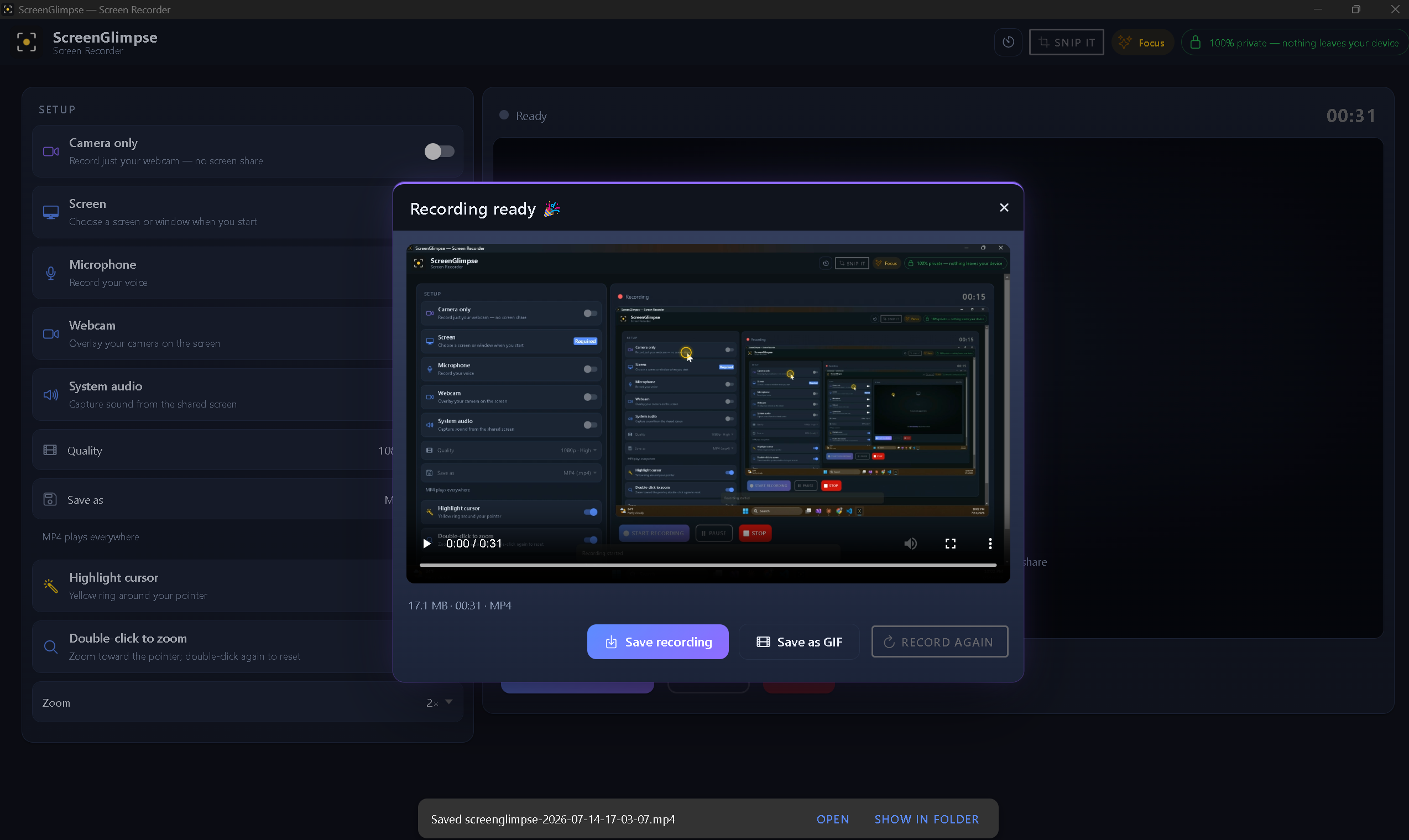
ScreenGlimpse: The Smart Screen Recorder for Clear Communication
ScreenGlimpse is an innovative screen recording SaaS designed to make your video explanations exceptionally clear and engaging. It automatically highlights your cursor and zooms into every click, transforming ordinary screen captures into directed, professional presentations. Ideal for anyone who needs to show rather than explain, ScreenGlimpse ensures your audience never loses focus.
Target Audience & Use Cases
This tool is perfect for educators, software developers, customer support teams, product managers, and anyone creating tutorials, demos, or detailed explanations. It streamlines the process of creating instructional content, making complex processes easy to follow.
Key Features
- Automatic Cursor Highlight & Click-to-Zoom: Guides viewers' attention precisely where it needs to be.
- Local Recording & Processing: Ensures privacy and speed as nothing is uploaded to external servers.
- Instant Export: MP4 or WebM files are ready the moment you stop recording, with no render queues.
- Comprehensive Capture: Record screen, microphone, webcam (with draggable bubble), and system audio simultaneously.
- Cross-Platform Compatibility: Available for Windows, macOS, Linux, and as a browser-based version.
- No Account Required: Start recording immediately with the free tier without any sign-up.
Use Cases
ScreenGlimpse excels in scenarios where visual clarity is paramount. For software tutorials, it eliminates the need for verbal cues like "click here" by visually emphasizing every interaction, making learning intuitive. Support teams can create precise, step-by-step solutions to common customer issues, reducing resolution times and improving satisfaction.
Furthermore, product managers can leverage ScreenGlimpse to create compelling product demos, highlighting new features and user flows with professional polish. Educators can produce engaging lessons that keep students focused on key actions, while internal teams can use it for onboarding new members or documenting complex workflows, ensuring consistent understanding across the organization.
Pricing Information
ScreenGlimpse offers a flexible pricing model starting with a robust Glimpse free tier, which includes unlimited local recordings, up to 720p export, mic/webcam/audio capture, cursor highlight & zoom, and more. The Focus plan is available for $5/month or $50/year, unlocking features like up to 4K export, advanced screenshot markup, enhanced whiteboard, and custom watermarks. For a one-time purchase, the Forever plan costs $100, providing all Focus features and a year of updates. Discounted rates are available for Business/Team accounts with 10+ users.
User Experience and Support
The user experience is designed for simplicity and efficiency, following a clear "Start" to "Share" arc. Recordings are processed entirely on-device, ensuring privacy and immediate availability. The interface is intuitive, allowing users to quickly select capture options and export formats. Support is primarily handled through a comprehensive FAQ section, addressing common questions about privacy, accounts, and subscriptions. For team inquiries, direct contact with sales is available.
Technical Details
ScreenGlimpse prides itself on its on-device processing architecture. All recording, cursor highlighting, zooming, and video encoding occur locally on your machine, ensuring no data leaves your computer without your explicit action. This design allows for full offline functionality and eliminates the need for cloud uploads, enhancing both privacy and performance. It provides native installers for Windows, macOS (Intel & Apple Silicon), and Linux, alongside a convenient browser version for quick, installation-free recordings.
Pros and Cons
- Pros:
- Unique automatic cursor highlight and zoom features.
- Strong privacy focus with local-only processing.
- Instant video export without rendering delays.
- Comprehensive cross-platform support (Windows, macOS, Linux, Web).
- Generous free tier with core functionality.
- One-time purchase option available.
- Cons:
- Free tier has 720p resolution limit and a small watermark.
- No advanced video editing suite beyond basic recording.
- Limited explicit support channels mentioned beyond FAQ.
Conclusion
ScreenGlimpse stands out as a powerful, privacy-conscious screen recorder that elevates visual communication through its intelligent cursor highlighting and zoom features. Its ease of use, instant exports, and broad platform support make it an invaluable tool for anyone looking to create clear, professional, and engaging screen recordings. Explore ScreenGlimpse today to transform how you show and explain.
Comments
Achievement


Publisher

Launch Date2026-09-07
Platformweb
Pricingfreemium
Tech Stack
#web#ionic#angular#desktop
Sponsors

AIChatOne
All-in-one AI assistant with the most advanced AI models to help you Chat, Search, Write, Read and more.
DirEasy
The scalable and production-ready Directory starter kit.
Become a Sponsor
Get your brand featured here
Outbid
View🥇 🥈
🥈 🥉
🥉
Want this spot? Pay what you wantBoost Domain Rating - Boost Domain Rating is a platform to discover and upvote the best tech products. Find top products launching daily.
Boost Domain Rating is a platform to discover and upvote the best tech products. Find top products launching daily.
$35
DirEasy - The Best Directory Boilerplate with AI | DirEasy
The best directory boilerplate, packed with AI, Listings, Payment, Submission, CMS, Blog, Authentication, Newsletter, SEO and more.
$30
Quiz Shot - Solve Any Screenshot Question in Seconds.
AI Study Assistant that answers any screenshot question. Get free AI tutor and step-by-step math and homework help with ChatGPT.
$25